Hello,

I'm really desperate. I bought a NEW Raspberry Shake 2 weeks ago and I CANNOT make it work despite many attempts.

PROBLEM:
- Shake does not connect to Internet
- DHCP enabled on router (192.168.2.1)
- Known bug in interface (no Gateway field visible)
- rs.local works locally but no Internet connection

I contacted [email protected] 6 DAYS AGO - NO RESPONSE
Phone numbers don't work (+507 730 8212 and WhatsApp)

I need URGENT help. Can someone from the technical team help me?

Thank you
Hello Placebo,
Thank you for the summary of your situation. Let’s see what we can do to help you get the Shake online!
Let’s start from the beginning. As you can access it, on the main rs.local/ page, can you click on the Download Log Files or Logs button, download the zipped file, and send it to me?
That will surely help understand why your Shake is not able to connect to the wider internet.
Thank you.
Unable to download log file, a page opens (about:blank)
All right, can you try the following procedure?
- turn off your Shake
- disconnect all cables from it
- restart your router (if possible) and wait for it to regain internet connection
- now reconnect LAN and power cable to the Shake in this order
- turn on the Shake again
Then, wait for about 30-60 minutes and, when you can, try to download the new logs. If one browser doesn’t work, and you still see a blank page, please try to download the logs using a different browser, or in incognito mode.
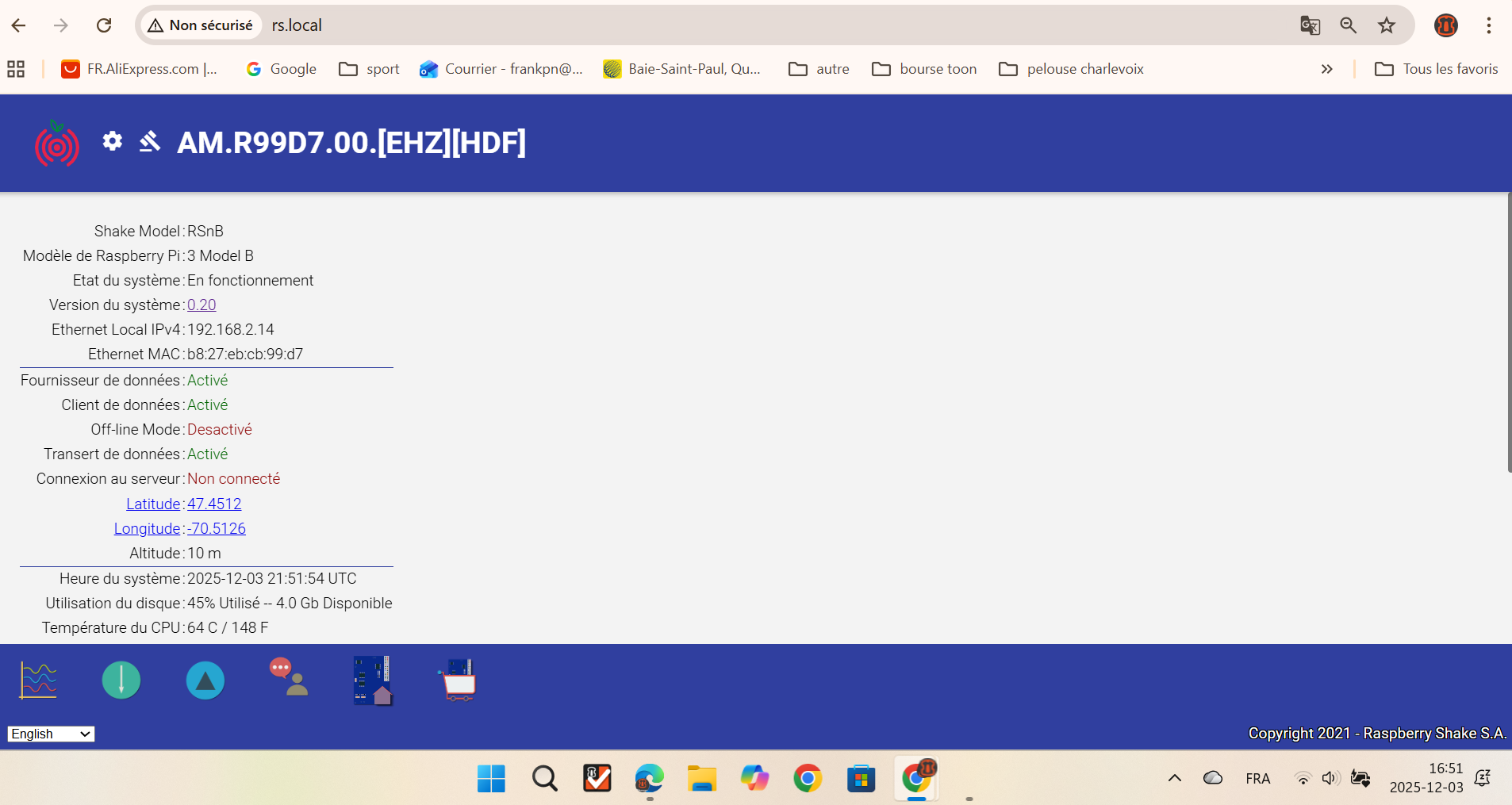
Could you also send me a screenshot of the rs.local/ page, always waiting those 30-60 minutes after reboot?
Thank you for your collaboration.
Non confirmé 422578.crdownload (2.3 MB)
Non confirmé 58649.crdownload (2.3 MB)
Désolé j’avais pas attendu 30 min
Hello again Placebo, and thank you very much for the screenshot and the two sets of log files.
The good news is that the Shake is working exactly as it should: it boots correctly, detects the GPS module, sets the time, and then tries to contact our server.
Regarding the connection problem, the logs show the following:
2025 337 22:47:02: Ethernet is OFF and WiFi is OFF
2025 337 22:47:02: Unable to determine a valid IP address, continuing without one...
This is unusual, because it means that neither the wired network nor the WiFi is connecting.
This issue may be related to the Static IP bug my colleague mentioned earlier. At this point, you have two possible ways forward:
- Re-burn the Shake’s microSD card, which will reset it to the factory default settings. This usually resolves the connection issue. You can find all the necessary files and instructions here). If you want to set up a Static IP again afterwards, I can guide you through the process.
- Access the Shake via prompt command, and I can walk you step-by-step through the procedure to try to fix the bug directly, so the Shake can reconnect without re-burning the card.
If option 2 does not work, then we can proceed with option 1, but we can address that later if needed.
I’m also adding a French text of the same answer (it’s a bit rusty, so forgive me for any errors):
Bonjour Placebo, et merci beaucoup pour la capture d’écran ainsi que pour les fichiers journaux.
La bonne nouvelle, c’est que le Shake fonctionne exactement comme il le doit : il démarre correctement, détecte le module GPS, ajuste l’heure, puis tente de contacter notre serveur.
Concernant le problème de connexion, les journaux montrent ceci:
2025 337 22:47:02: Ethernet is OFF and WiFi is OFF
2025 337 22:47:02: Unable to determine a valid IP address, continuing without one...
C’est inhabituel, car cela indique que ni le réseau filaire ni le Wi-Fi ne parviennent à se connecter.
Ce problème peut être lié au bogue de l’adresse IP statique que mon collègue a mentionné dans l’autre message. À ce stade, deux options s’offrent à vous :
- Réinstaller l’image du Shake sur la carte microSD, ce qui réinitialisera l’appareil aux réglages d’usine. Cela règle habituellement les problèmes de connexion.
Vous trouverez tous les fichiers et les instructions nécessaires ici.Si vous souhaitez configurer une adresse IP statique après la réinstallation, je pourrai vous guider. - Accéder au Shake via prompt de commande, et je pourrai vous accompagner étape par étape pour tenter de corriger le bogue directement, afin que l’appareil puisse se reconnecter sans devoir réinstaller la carte.
Si l’option 2 ne fonctionne pas, nous pourrons alors passer à l’option 1, mais nous verrons cela au besoin.
Oui j’ai besoin d’accompagnement svp!
Je serai libre a 13h
désolé libre a 15h finallement!
Hello Placebo,
No trouble, I can give you step-by-step instructions. The overall goal is to get back the Shake to the condition it was before the Static IP setup, the factory state, so to speak.
To do so, the first suggestion (and probably the quickest method) is to re-burn the microSD card:
- Download the necessary file from here
- While downloading, turn off your Shake and extract the microSD card on its side
- When the download is done, connect the microSD card to your computer (using an adaptor, if needed)
- Follow these instructions (which are also step-by-step) to clean and install the downloaded files
- Once done, extract the microSD card from the computer and slot in back inside the Shake
- Turn on the Shake again, wait for about 30-60 minutes, and if it still doesn’t connect to our servers, please download the new log files and send them to me without doing anything else
This is the most straightforward and quickest way to restore the situation to something we can start working on.
If you require further assistance, as we do not provide phone support, we recommend asking a local computer expert (maybe a friend, or acquaintance) for help.
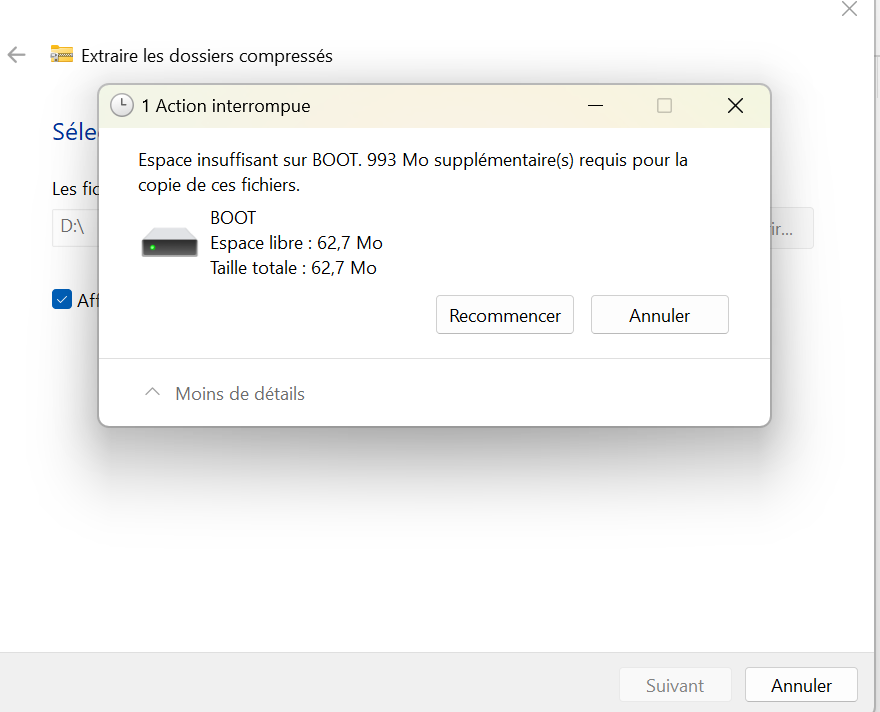
This can happen when the formatting of the microSD card has not been successful. Please try the following:
- Disconnect/reconnect the microSD card
- Right-click on it in the Disk Management and select Format
- In the first field,
Capacity, the number should at least show GB (Go). If it says MB (Mo), you’ll need to use a different kind of formatting.
Here is how you can do it:
- Open Command Prompt again, but this time right-click on the icon and then select Run as Administrator).
All commands below have to be followed by pressing Enter on your keyboard. - Type
diskpartto launch the program - Type
list diskto see all disks connected to your computer
3.1 If the micro-SD card is not appearing in this list, disconnect and reconnect it, then re-execute list disk
3.2 If the card still doesn’t appear, then it may be damaged, so use another micro-SD card - Type select disk (# of the microSDcard), for example:
select disk 2
4.1 Ensure that the correct one has been selected by typinglist diskagain. The commands that follow will delete all content without possibility of recovery, so the correct disk must be marked with a*before it! - Type
clean. This removes any partition or volume formatting from the drive - Type
create partition primary. This re-creates the original main drive partition - Type
format fs=fat32 quick. This formats the micro-SD card. - Type
exitto close the DISKPART utility. You can then close Command Prompt
The card should now display its maximum capacity (in the Go range), and it is now ready for the Shake OS to be installed on it.
You can now follow the installation instructions in my previous message, and the error you’ve seen should not happen again.