Hello TideMan,
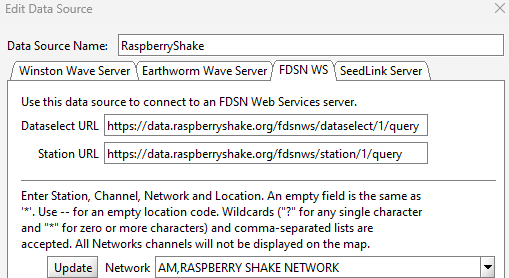
Thank you for the notification. I’ve asked our team about this. In the meantime, you can use the FDSN alternative below, which will give you access to the same data caps.raspberryshakedata.com provided:
Here’s a nice event one of your instruments got yesterday UTC evening:
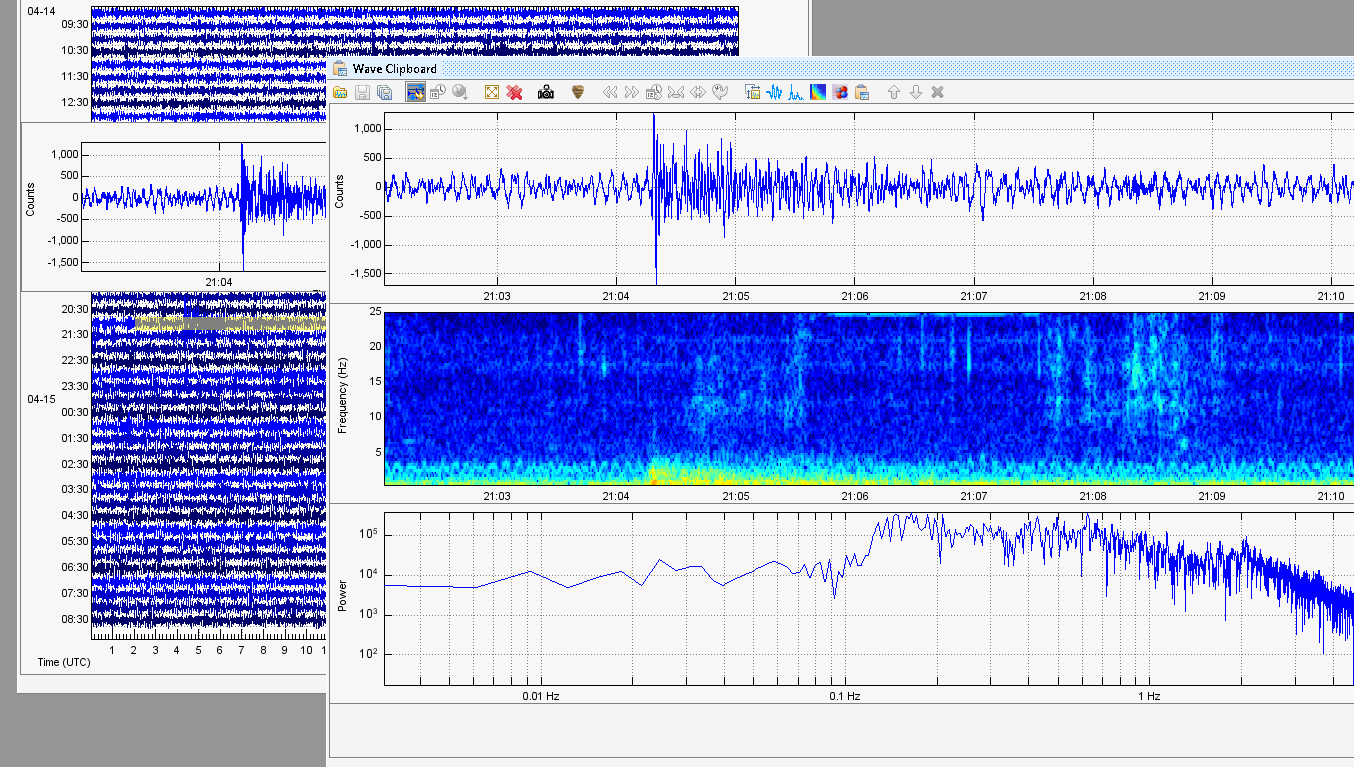
I’ll add the complete procedure for any reader who might not be familiar with SWARM:
- Open the
Data Chooserwindow from theWindowmenu - Create a new
Data Sourceby clicking on the relative icon - In the new window that appears, assign it a name as usual, and then go to the
FDSN WStab - In this tab, please insert the following:
Dataselect URL https://data.raspberryshake.org/fdsnws/dataselect/1/query
Station URL https://data.raspberryshake.org/fdsnws/station/1/query
- If not already selected, select
Need Updatefrom the dropdown menu, and then click on theUpdatebutton.
It may take a while, but after the process is complete, you can search through the list for your Shake/Channel combo, and you should be able to then display it.