Hi,
I am rebuilding my Shake SD card, and have been struggling to get a clean SD card image downloaded.
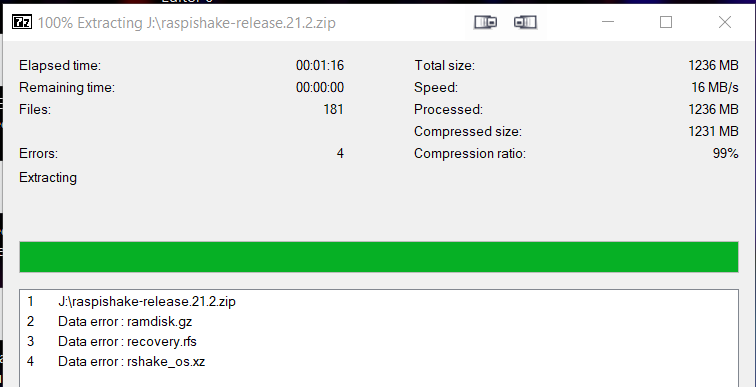
I am downloading from https://gitlab.com/api/v4/projects/30784073/packages/generic/shake-os/21.2/raspishake-release.21.2.zip or from raspberryShake-public / Raspshake Sd Img · GitLab, but when I unzip onto the SD card using 7Zip I get these errors:
Checking the SHA256 hash it doesn’t match:
I have tried various ways to download (Windows desktop, Linux laptop, QNAP NAS) and they all have the same problem.
Is the image at this locations valid?
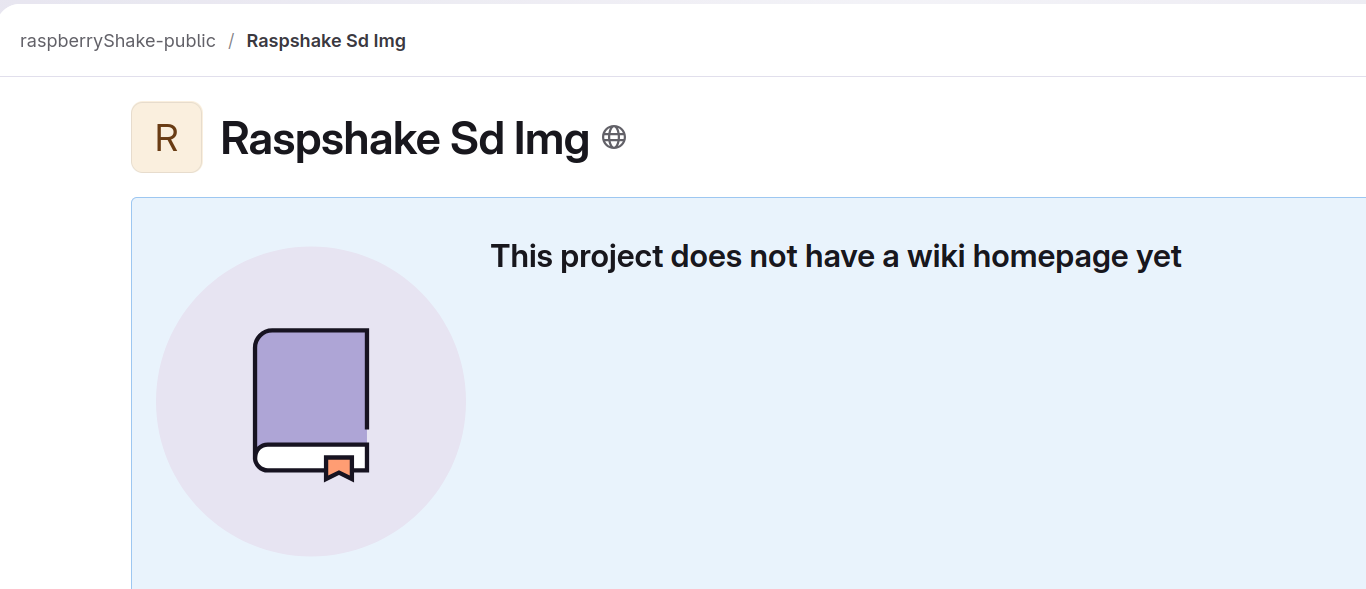
In addition, the GitLab page has changed in the ;last 24 hours, and now doesn’t show any files, instead it is this:
Hello Mocelet, and welcome back to the community!
Thank you for the detailed report and details about all the tests you have done across multiple devices. We’ve done our own checks on the image, and everything looks clean on our end, so we’re looking into whether a disruption to the file hosting service may have affected downloads during that period. Nonetheless, I have asked our software team to investigate more on our side to see if anything else needs to be done.
Could I ask you to download the raspishake-release.21.2.zip file from this address and see if everything works fine? I’ve re-burned a microSD card just in the last 30 minutes using the same download, with the checksum matching and the Shake working without issues.
If you’re still seeing the mismatch, or the archive doesn’t extract correctly, please let us know.
Also, did you get the same incorrect SHA256 value for each of your downloads, or were they all different?
Thank you for your collaboration, and apologies for the inconvenience.
That link worked perfectly. Thank you.
I only checked the SHA256 on the last download. I think the fault may have been at my end, the download from the link above had the right checksum one one of me PCs, but it was wrong by the time it got to my desktop where I usually write the SD cards.
All sorted now, thanks for your help.
1 Like
No trouble at all Mocelet, and happy to have been of help!
Happy Shaking!
I have been working on this on and off since the last post, and still don’t have a working Shake 
I have now used 2 SD cards and they both have the same result: The unpacking appears to run normally (although one question about that below) and after 15 minutes or so I see the expected login prompt on the HDMI display, and I can log in and poke around the file system.
However, when I point a browser at http://rs.local or at http://192.168.1.134 (the IP address in the boot up messages) I get a blank page. Something is working because the icon on the browser tab is the Raspberry Shake icon, but there is nothing on the page itself. Even waiting another 15 minutes to let the Docker container get going doesn’t help.
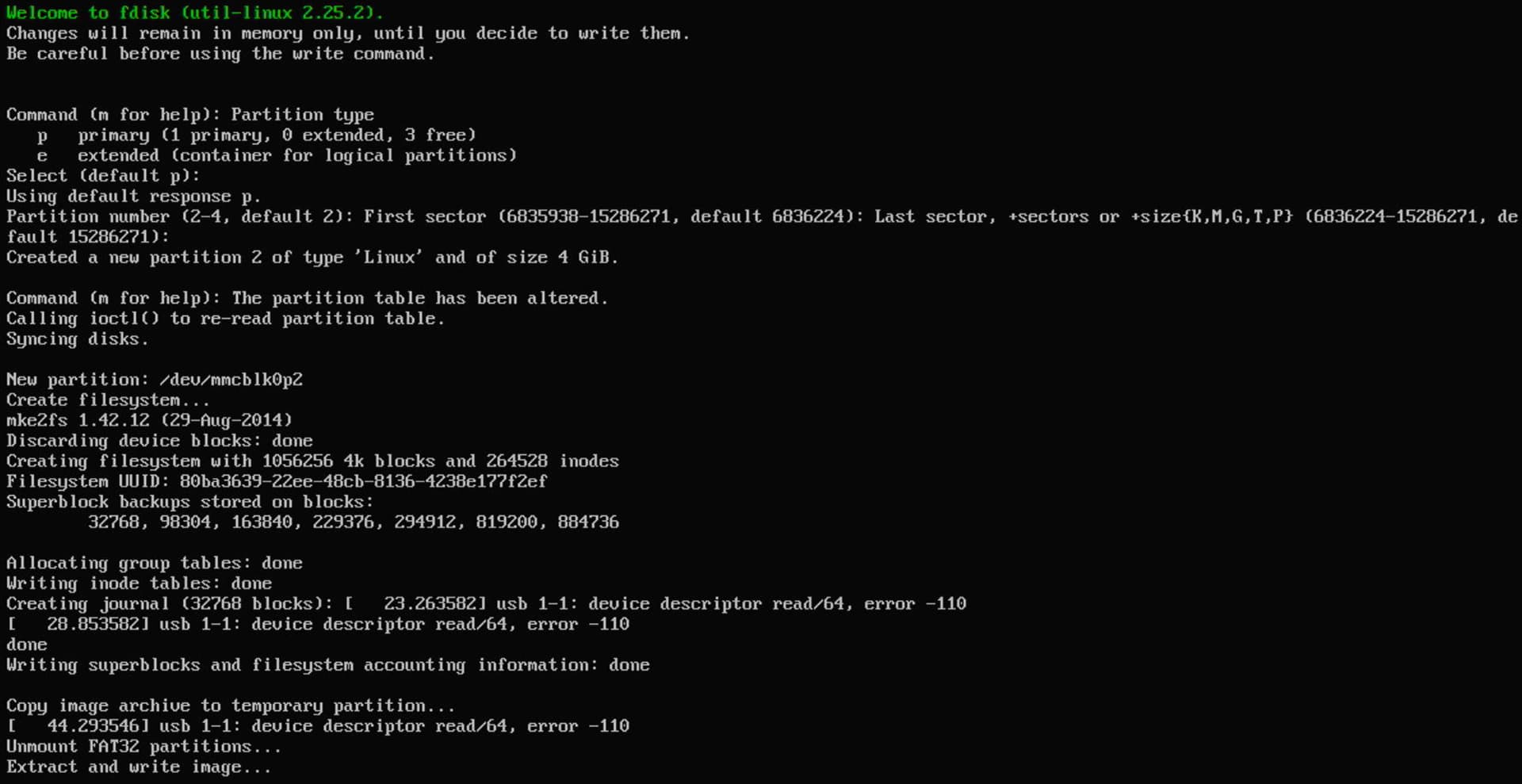
I did notice that during the unpacking of the image there are some errors reported:
Are these errors (usb 1-1: device descriptor read/64, error -110) normal?
Hello mocelet,
Let’s see what we have here. I’m not familiar with those usb... errors, but a quick search suggests possible (and almost-instantaneous) communication issues. They can be related to other connected USB devices too (like a keyboard or similar).
Regarding the empty rs.local/, could you check that port 80 is open in TCP for your local network? It is a required port to load the Shake OS dashboard, and there are some routers that close it automatically.
If that port is open, with the page “open” and still not loading, could I ask you to then press F12, click the Console tab, and take a screenshot of what appears there?
The result should give us more precise insight into what is going on.
Thank you.
EDIT: Also, have you tried re-burning from a Windows machine after you had the correct repo link? Just to see if there were any differences.
I can’t get my Pi to work either (http://rs.local & http://192.168.1.145 with or without port :80)
I’ve tried different images on 2 different SD cards (21.2.zip) and extracting using Raspberry Pi Imager to a 128GB (140MB/Sec) Micro SD. I use a USB adapter to write the image, using the built in laptop card reader doesn’t appear to work and the Pi doesn’t even start, this appears to be a common issue with other Pi images.
One thought I’ve had is I don’t yet have the board and sensor, obviously this is going to be needed for any data logging, but first I wanted to make sure that Raspberry Shake would actually work, I hope you can appreciate that, it’s just that it’s a fairly costly device and I didn’t want to get it and find that it still doesn’t work.
Is this a requirement in the first setup stages? It would be nice to at least get some information on rs.local to show that something is working. I should also confirm that the network lights on the Pi are on and the red power light is on the Pi, also periodically the yellow SD card access light flashes, so it all looks to be working as a Pi should.
Starting up and viewing via HDMI and everything starts and shows OK as it should, there are no Failed processes.
*I should also add that I’ve tried this on different browsers, PC’s and other devices (iPhone & iPad (Safari), and Android devices) all have the same blank page. The Raspberry Shake icon appears in the tab, however pressing F12 only shows a few basic HTML lines.
Hello 2022jamauk, and welcome to the community!
The reason why rs.local/ doesn’t appear is because the Shake board (that would be installed on top of the Pi) is missing. Most of the information on it (Shake name, model, live data preview, and more) depends on that specific board being present.
If you are concerned about the compatibility of your Raspberry Pi, you can check the list of all compatible boards here in our manual.
We usually recommend Raspberry Pi 3B boards, but others are definitely usable and will work as well as the one mentioned.
If you are concerned about the microSD card (but I’m sure you already found this), we recommend using commercial-grade (MLC) or industrial-grade (SLC) microSD cards (more info here).
Regarding power supply, the Raspberry Shake requires a 5.0V to 5.2V DC power supply. It also requires at least 2.5A for Raspberry Pi 3B models, and 3.0A for the 4B models. For any USB charger, be sure it delivers 2.5+ Amps, and then test it when it arrives, as we have found that many manufacturers report 2.5 or 3 Amps, but the equipment does not meet spec.
I hope the above can help. If you have any more questions, just let us know.
Thank you for your reply, I thought that was most likely the reason, especially given the icon appears on the tab, and it obviously loads something because no errors are shown, other than the blank page. I’m planning on using a Pi 3B+
It’s going to be on the solid concrete floor of the garage, away from the house, so that should reduce the risk of movement. Hopefully I’ll be ready for everything with the Pi Geiger counter up high in the garage!
1 Like
You’re more than welcome.
I used a 3B+ too for my first DIY RS1D, worked like a charm!
That sounds like a pretty good (and quiet) installation location, and yes, you’ll be able to monitor much more with the two sensors!
I’ve just tried running the software again on a Pi 3B+ and it worked straight away, going to rs.local. Previously it was on a Pi3 and had the blank page. I’m not going to do any of the account setup just yet, I’ll do that when the rest arrives.
So I’ve gone for it and ordered the board and I’ll get shaking as soon as it arrives!
I can’t wait!
1 Like