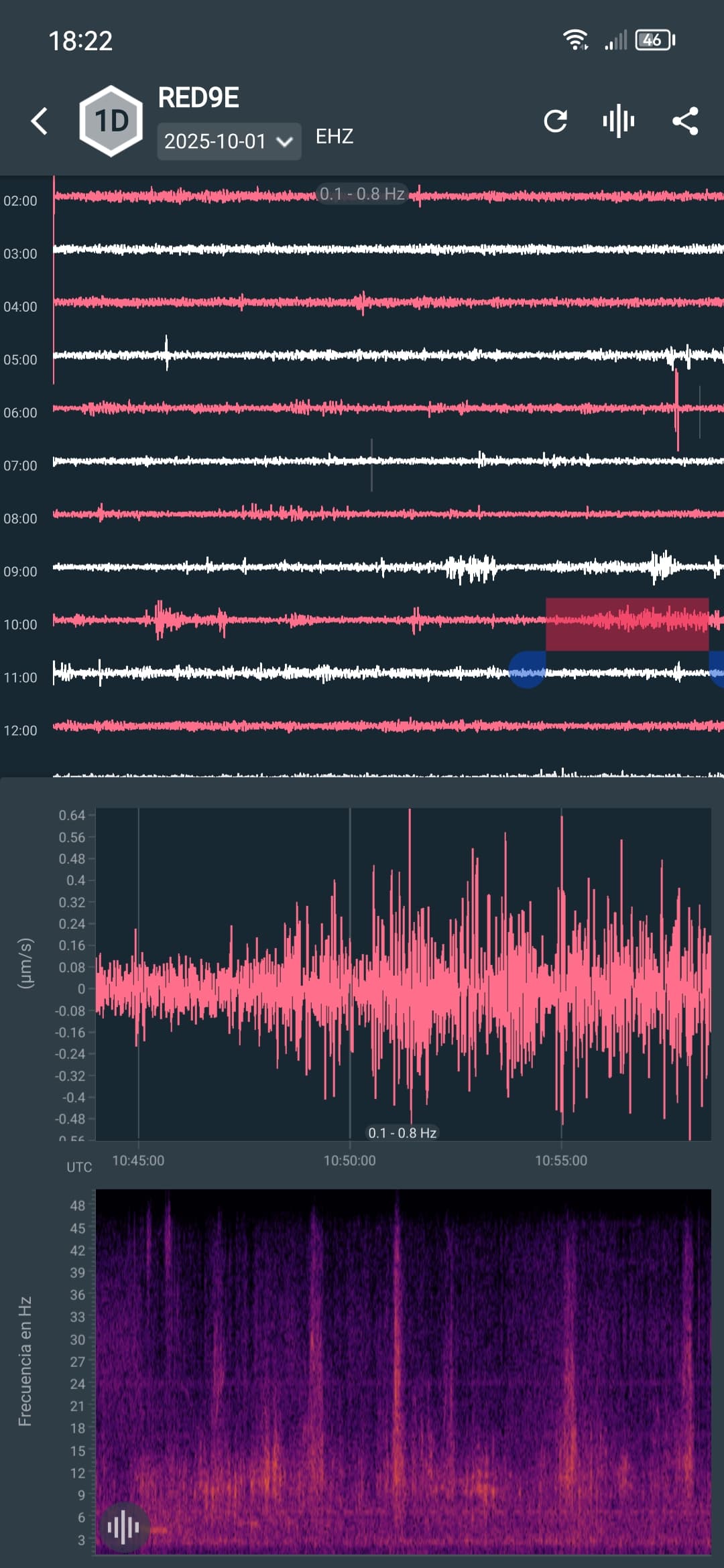
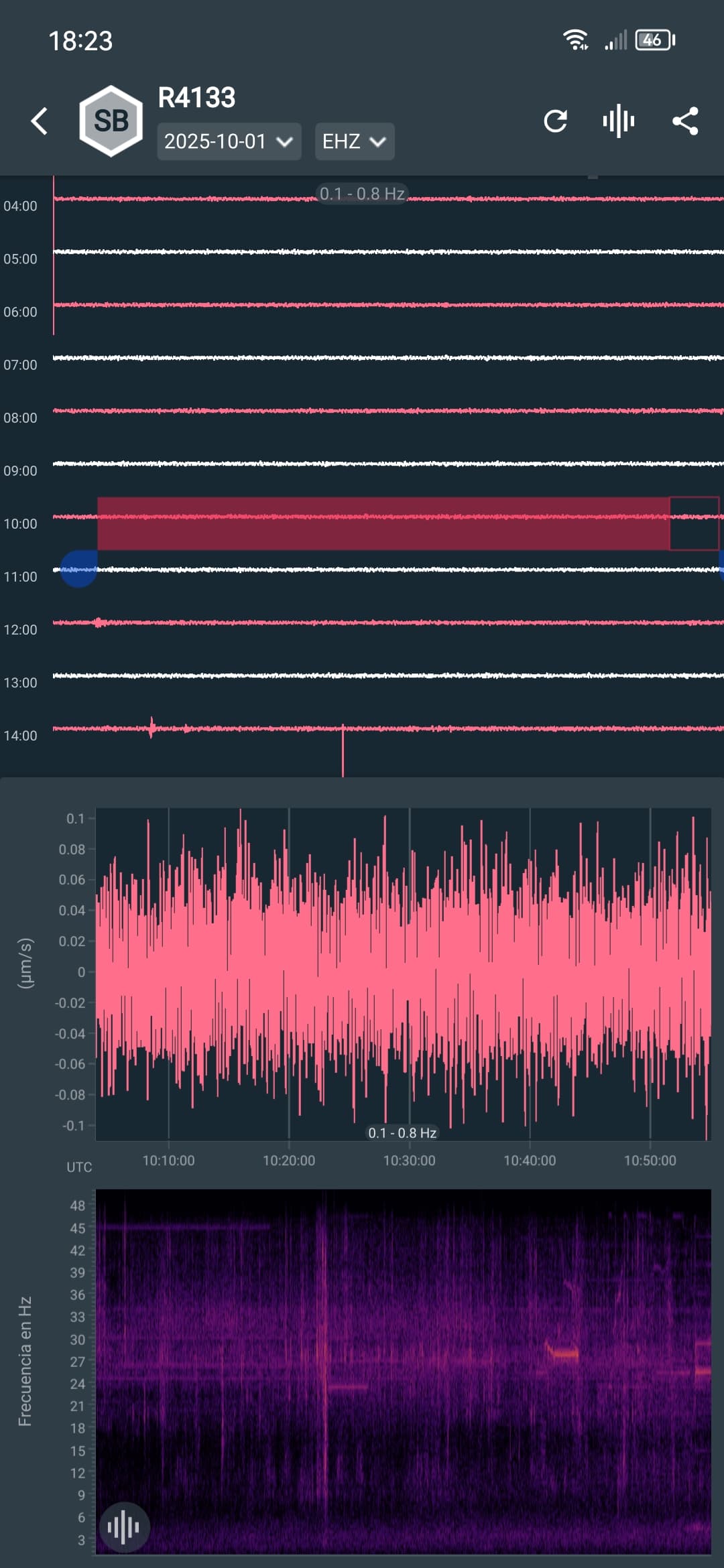
Good morning community, today my RED9E station stopped working the problem started with gaps in the register, I turned it off and checked it if it was something wrong, everything was fine, until when I turned it back on the ethernet cable no longer responded, but that cable works, I don’t know if the raspberry did not communicate with the modem, It should be clarified that the Leds of the ethernet port were on but low, it did not turn on completely, I restarted the equipment and the modem managed to recognize the raspberry.
Now the problem is that it no longer lights up the green LED at the start, the red LED is kept as if it were off, since then it no longer responds I don’t understand what’s happening to it… Will it have a solution? The raspberry is only 3 months old since I acquired it. Uploading: IMG_20250829_092141.jpg… Processing: 1030c07b-8d80-4061-90e8-f5d1636694cb.jpg…
This sounds very similar to my experience with my 4D, i.e. no green light. My ethernet cable, too, was good. The only thing I did to “fix” it was remove the ethernet cable on both ends and reattach.
I’m no troubleshooting expert, but I’d suggest you try plugging your ethernet cable in and then remove it several times - on each end.
Starting from the initial issue, and then proceeding through the others (no connection, no green LED at the start), point to possible power supply problems.
Particularly, if the gaps you were observing were on the Shake local helicorder.
Without logs, I cannot be more precise, but this is a list of what you can initially test (following jimg suggestions):
remove and reattach the Ethernet cable multiple times
try a different Ethernet cable
try to connect the Ethernet cable to a different port on your modem
try to reboot the modem without the Shake connected, and only when the moment regains Internet connectivity, then connect the Shake
However, if the green LED close to the red one continues to not operate, you’ll have to:
try to re-burn the microSD card, as it may have failed (instructions here)
try a different power supply that you know will provide what’s necessary (5.1V @ 2.5A, at least) to the Shake
If you manage to connect to the Shake, with the instrument working, please also download the logs and send them here. They could offer more insight on what is going on.
Hello, I’m sorry I didn’t answer this, because after scares and disappointments, apparently the culprit were the chargers of my raspberrys Shakes, it was a bad move by my two stations since both broke down almost at the same time, total they were already, only that there is a curious thing about the RED9E station as it was something “wrong”.
The reading in low frequencies already registers as if there had been an alteration of energy, the charger I bought from you is original, I do not understand why only those raspberry registers those disturbances, will it have been damaged thanks to the previous charger? Best regards.
Regarding those disturbances, could you provide some screenshots that show them clearly?
Also, if you could, can you take some screenshots of the other Shake, so that the two will be easy to compare? Any differences should appear quite easily with images from both seismographs.