Hello from Los Angeles.
I am new to Raspberry Shake and very excited to implement this with my 6 grade students and my K-12 school community. I am learning how to read the Data View page. I have some questions about how to read the graph.
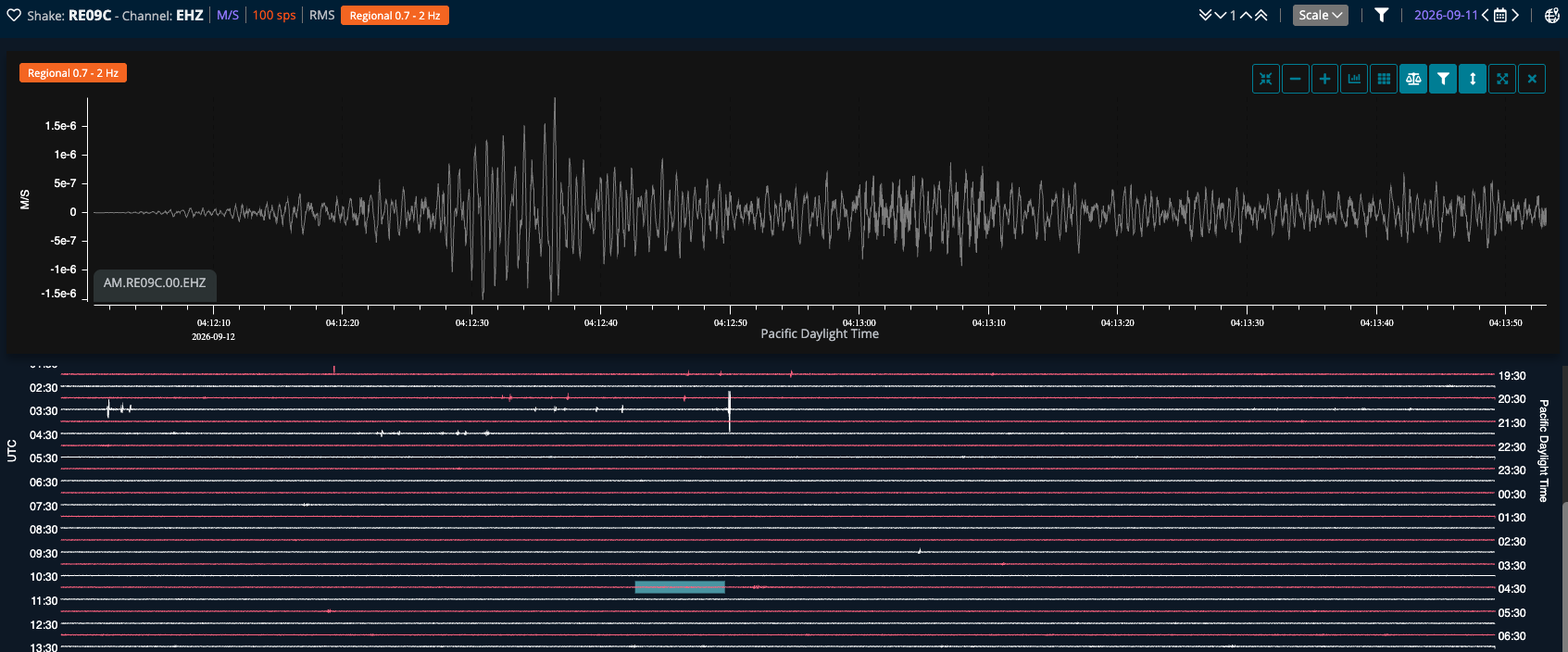
- The Y-axis is labeled M/S. Is this simply velocity? And how can I convert these values into something that is meaningful for my 6th grade students.
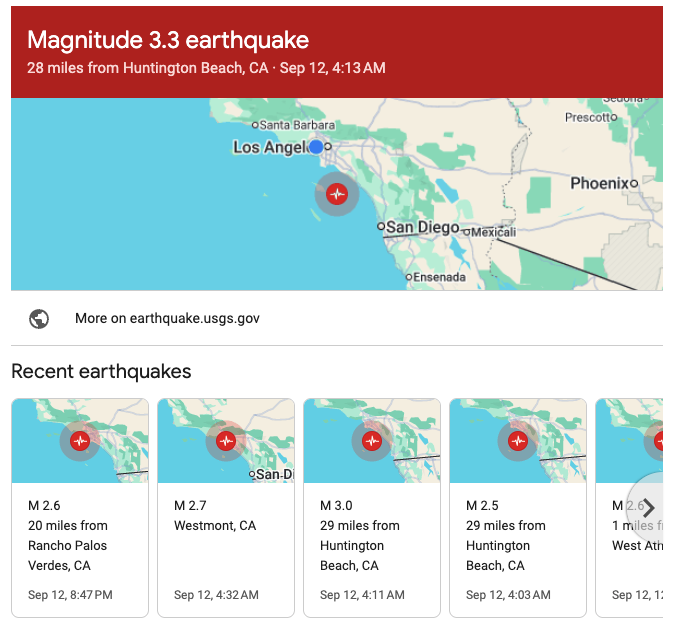
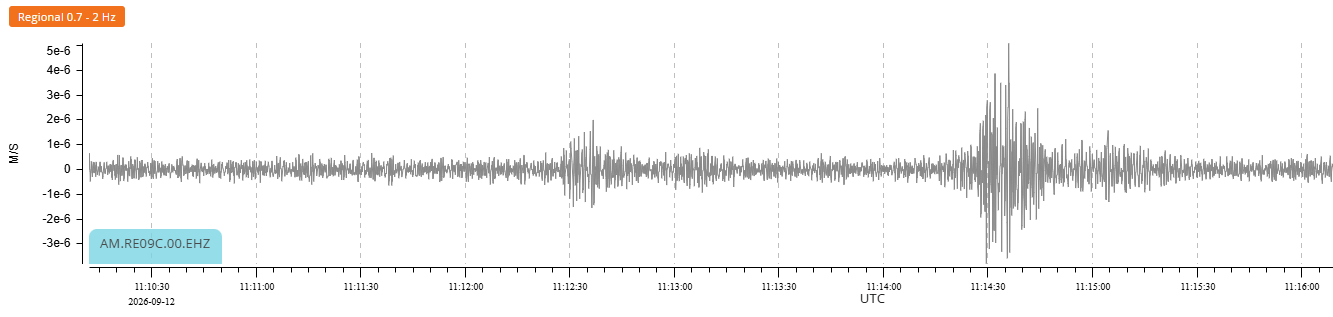
- There was an 3.3 magnitude quake in our area and some others nearby on Sept 12. Please see attached screenshot. In the second screenshot is what I found in Data View, Does this correspond to this quake?
- What else would be helpful for me to know or notice about this? I don’t know what I don’t know.
Thank you so much for any insight.
Bob
1 Like
Hello Bob, and welcome to our community!
Sure, feel free to ask any questions you have in mind. Let’s start:
-
That’s correct; M/S (meters per second) stands for velocity, and this value is recorded by the golden geophones in all our current Shake models.
For completeness, you can also have M/S**2 (meters per second squared), indicating acceleration. This value is recorded by chip-shaped sensors in our RS4D and RS6D models.
And you can also have Pa (Pascals), indicating pressure measurements for our infrasound BOOM models.
- The numbers are very tiny, especially when “nothing” is happening around the Shake. They naturally increase when an earthquake is detected, or simply when someone (even your students) jumps in the same room as the instrument.
- A good classroom anchor could be comparing the quiet trace (background noise, recorded at night, for example) to any quake trace, and starting a discourse, for example, on: “how many times bigger did the wiggles get?” Comparing waveform amplitudes (the extension of the wiggles) doesn’t need a deep dive into the measuring units, at least at the start.
-
It is possible you have captured two events around that time
The first is smaller, maybe very local, and the second is the M3.3 you listed. A useful reminder: the waves produced by any earthquake take time to travel through the Earth. So you have to add some time to the event origin time (the time listed on the USGS website or on our own StationView).
If the quake is relatively close, we are talking about seconds, or tens of seconds. If the earthquake is far away (for example, a major event on the other side of the world), it could take up to 15-20 minutes for those waves to reach your Shake.
-
There are many discussion/teachable starting points, for example:
If you haven’t already, I recommend the integrated guided tours in StationView and DataView. Just click on the ? icons in the top right.
Also, I would recommend ex-IRIS (now EarthScope) Educational Resources here: Search SAGE - Seismological Facility for the Advancement of Geoscience. There are tons of useful and teachable resources at this link, and also in the Education section you can access from the top menu.
If you have any further questions, just let us know!