In addition to building my Raspberry Shake, I build display type devices that are called a Magic Mirror. It is a modular system that that is highly customizable by dropping various of the modules into the configuration, then editing the configuration. I do not do the low level module building or any of that. I have provided the link to the Magic Mirror below. Since Raspberry Shake data appears to be viewed through a browser page, I think I can do the same inside a magic mirror.
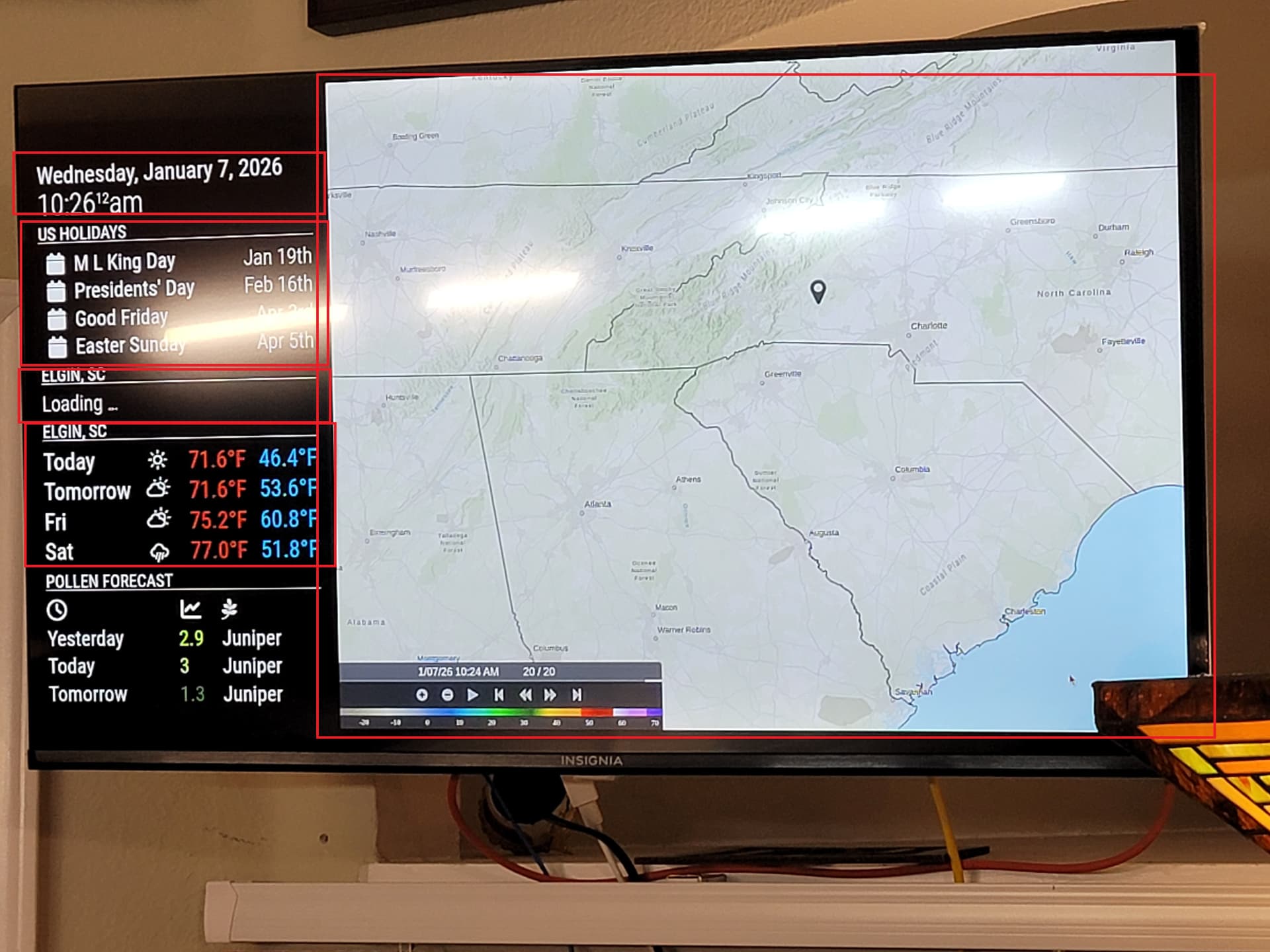
One of the modules is an an iFrame module which I have used in the previous magic mirrors to display a US National Weather Service live regional radar overlay. Here is a picture of that particular magic mirror. Each of the red boxes represents a discrete module. There are two weather modules, one configured for current the other is Forecast. The large module on the right side of display is the iframe with the radar image being displayed.
Behind that monitor is a Raspberry Pi 4 running the MM code (javascript) and there is a config.js file the individual builder like myself uses to customize the modules. I am building another MM right now and would like to have maybe Station View where the radar image is located.
Here is the portion of the config.js associated with the iframe. The code below is the template before editing but I think I can drop the url showing in my browser in the URL line of the code snippet.
Are there any items running on my Shake device that would prevent the image from displaying? Magic Mirrors are pretty robust and I know from having built several of these that a lot of people use them in conjunction with the Home Assistant Application and I would like to display Station View where the radar image is in the example picture. Is that doable?
 {
      module: 'MMM-SmartWebDisplay',
      position: 'middle_center',
      config: {
        // See 'Configuration options' for more information.
        logDebug: false, // set to true to get detailed debug logs. To see them: "Ctrl+Shift+i"
        height:"100%", // height
        width:"100%", // width
        updateInterval: 0, // in minuttes. 0 for no refresh
        NextURLInterval: 0.5, // in minuttes, 0 to not auto jump to next
        displayLastUpdate: true, // display the last update time
        displayLastUpdateFormat: 'ddd - HH:mm:ss', // format of the date and time to display
        url: ["http://magicmirror.builders/", "https://www.youtube.com/embed/Qwc2Eq6YXTQ?autoplay=1"], // URL to be displayed
        scrolling: "no", // whether or not to allow scrolling
        shutoffDelay: 10000 // delay in milliseconds to video shut-off while using together with MMM-PIR-Sensor
      }
    },