I’ve been trying to log into the shake with FileZilla to download the logs, but I keep getting “530 Login Incorrect”.
I’ve never tried to log in via FTP before.
My Shake is connected to my home Ethernet network, and I am able to access it at rs.local.
I bought the Shake as an assembled unit and haven’t made any changes.
I tried my ShakeNet password, the password I have saved for the Raspberry Shake, the default “shakeme” password, and blank password, but none seem to work.
I don’t know if I even have a password set, because when I go to rs.local in a web browser, I go right to the login screen, even in a Private Browsing window.
Which password am I supposed to use for FTP?
Here are the log files as requested by the pinned post.
RSH.R6D50.2025-10-02T01_00_16.logs.tar (3.2 MB)
Thanks for your reply. That is the page I was looking at. It says to use the Raspberry Shake password, but I don’t know if there is one since when I go to rs.local I’m never asked for a password. I tried the one I had saved, I tried none, I tried the default, and I tried my ShakeNet password. I see a place to change the SSH password, but I’m not sure if that’s the same as the regular login password used for FTP (and I’d need the old password to change it anyway). I don’t know if the RS only has one password, or different ones for different things (I realize ShakeNet is a different password). Also trying to connect to regular FTP on port 22 as specified in the documentation gives the error that you can’t connect to FTP on an SSH server.
Just to update, I’m able to log in with ssh and sftp command line with the password I thought was correct. This is on the same computer as FileZilla.
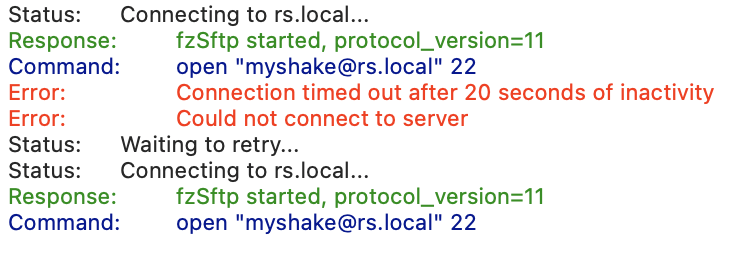
When I try to connect with FileZilla using SFTP (on its default port of 22), it just times out. (Yes, I also tried doing it on the QuickConnect bar exactly as described, which defaults to SFTP, and I specified port 22, with the same result, times out after 20 seconds and gives up after trying a couple more times). With regular FTP (on default port 21) it connects but doesn’t authenticate, so I know FileZilla is able to connect to the RS. FTP with the port override to 22 gives an error that you can’t connect to FTP on an SFTP server, so I’m not sure why this is specified. SFTP on port 22 would just be regular SFTP, so the port wouldn’t be specified, and changing the port doesn’t change the protocol, so I’m confused by this.
I’m not sure why it’s not working.
I have a password that works for SSH. I’m able to log in from the command line, and also SFTP.
I can’t get FileZilla to even connect with SFTP even though it’s able to connect (but not authenticate) with regular FTP.
So I think it’s more of an SFTP problem specific to FileZilla than a password problem, at this point.
I figured out some more:
I can get FileZilla to connect through SFTP only if I use the IP addresss, and not rs.local, but regular FTP in FileZilla connects with rs.local.
But I still can’t get FileZilla, using SFTP, and rs.local, to connect.
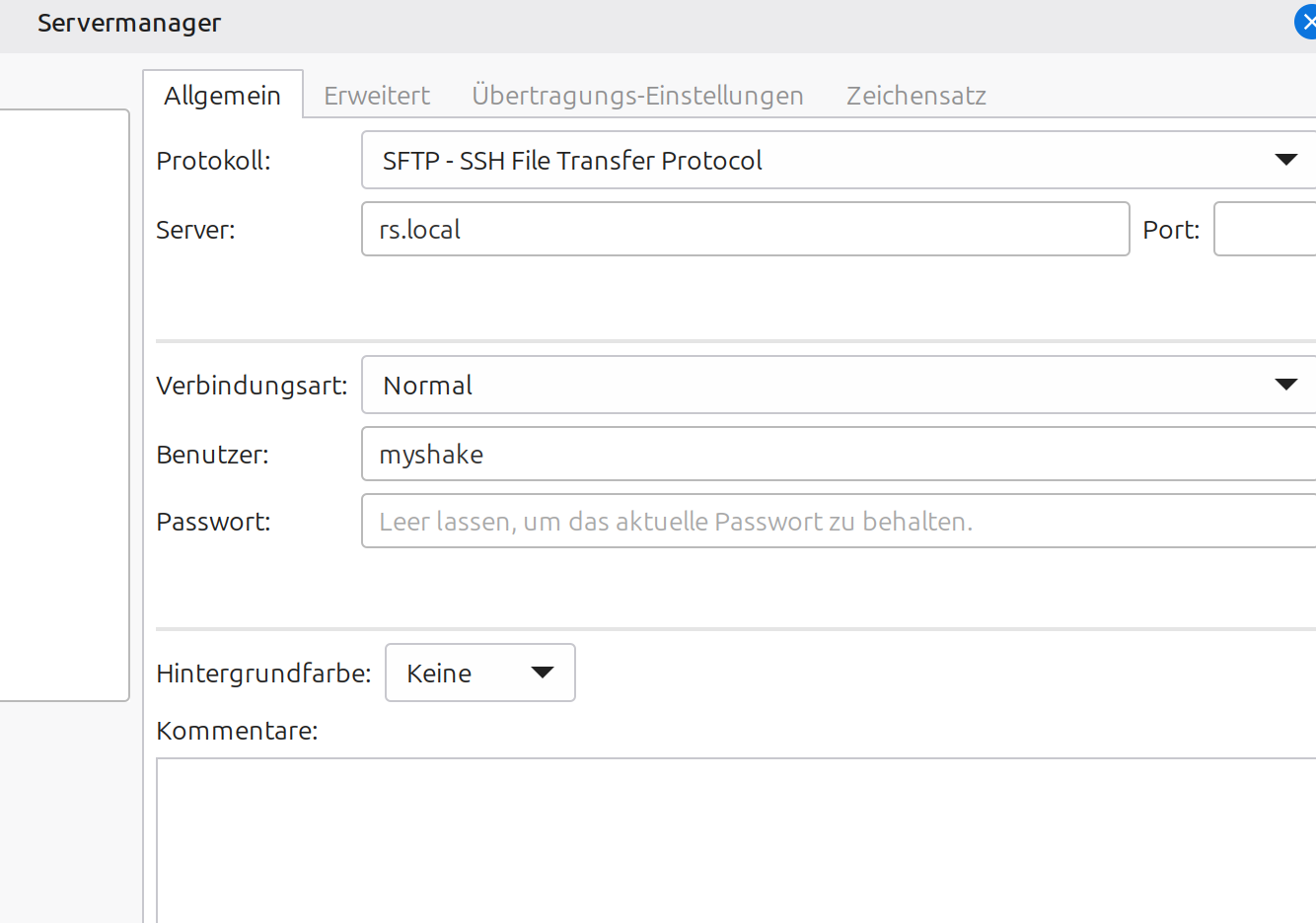
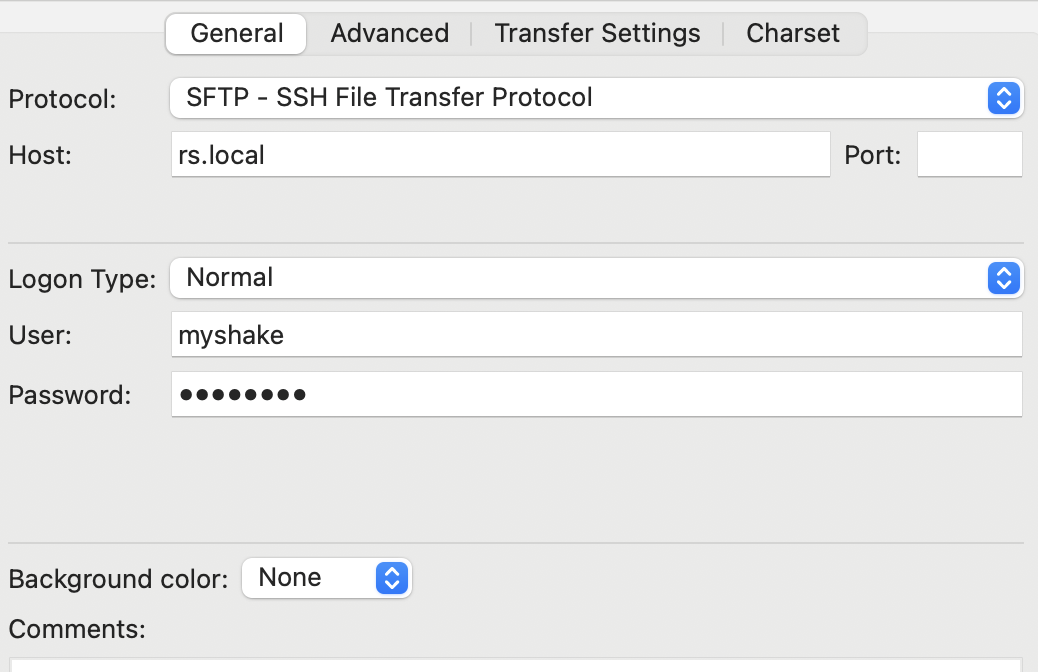
Take a look at the FileZilla configuration.
Looks the same to me…
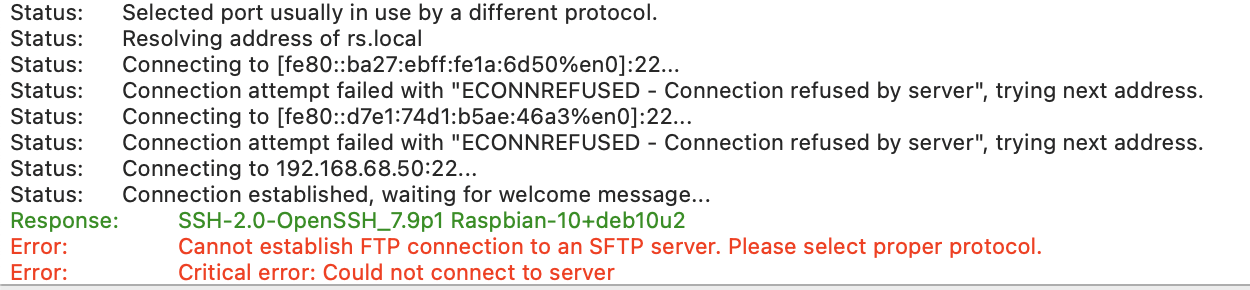
But if I try regular FTP:
There’s also nothing wrong with SFTP. I just don’t get it…
And using the IP address in FileZilla:
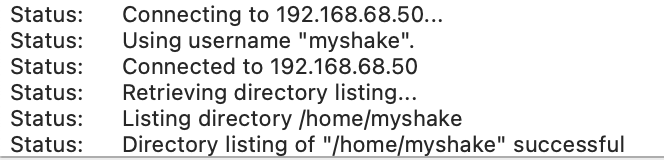
Hello FlyingMoose, and welcome back to the community!
The reply to your questions/observations in the same order:
-
the password that you use for FTP is the same that you use to SSH into the Shake. So, if you haven’t changed it (and the previous user hasn’t), it will be shakeme as jheiler suggested
-
the Shake uses the same password for everything (SSH, FTP, etc.) while the ShakeNet account password is unrelated. So, if you change the Shake password with this procedure you’ll need to use the changed one for anything Shake-related
-
the FTP vs SFPT error that FileZilla is showing regarding port 22 is correct, as regular FPT (as you also noticed) uses port 21
-
if rs.local/ is not working, this could be due to your local network infrastructure. We have had other users in the past that required the Shake IP address to log in via SFTP (my local network is one of them)
Expanding on the last point, this is because of how FileZilla handles the resolution of the rs.local domain into the actual local IP address. In some networks (as described above) this resolution doesn’t work, and using the IP numbers becomes thus mandatory with this software.
On MAC, the command-line interface sftp client uses system mDNS resolution, so rs.local/ continues to work fine.
However, FileZilla sometimes can mishandle that. For example:
- It may try IPv6 first and fail.
- Or it may not respect the same mDNS resolver macOS uses, depending on the build.
This also explains why the connection times out for SFTP but works for FTP, as the two approaches are different.
The solutions you have are:
- keeping using the Shake IP address in place of
rs.local/, however
- if you are concerned about having to check for the Shake IP (to see if it changes) every time before downloading the data in the future, you can assign a Static IP to the Shake and always use that in FileZilla
- you can try
cyberduck (https://cyberduck.io/) which could offer more support regarding rs.local/ resolution into its actual local IP address
- you can try connecting (not a MAC user, so I could be wrong on this) via the
Finder service, connecting to a server, and using sftp://[email protected]
Thank you, I’ll just use the IP for now, because I don’t download the data often, so I’ll just look it up with ping each time. I’ll also look into the Finder thing, that sounds useful.
2 Likes